





How to Order
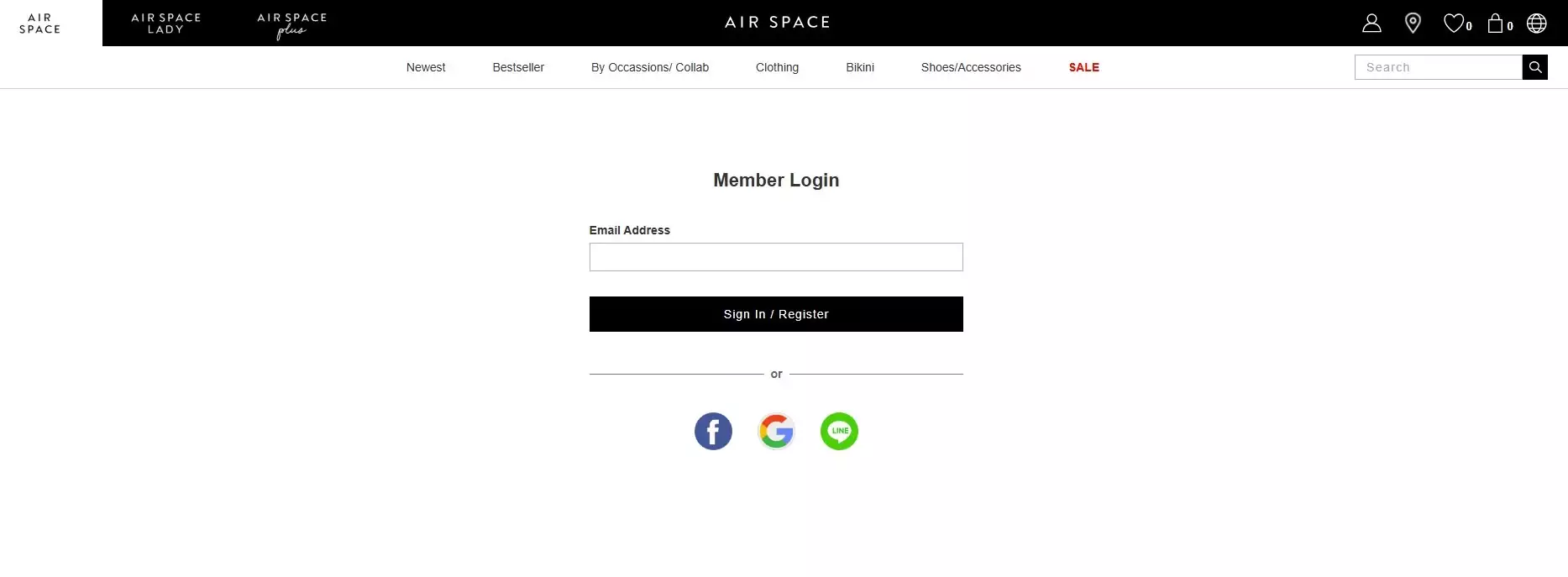
Step 1. Log in to Your AIR SPACE Account
① If you already have an account, select “Sign In.”
② If you are a new customer, select “Register” to create an account.
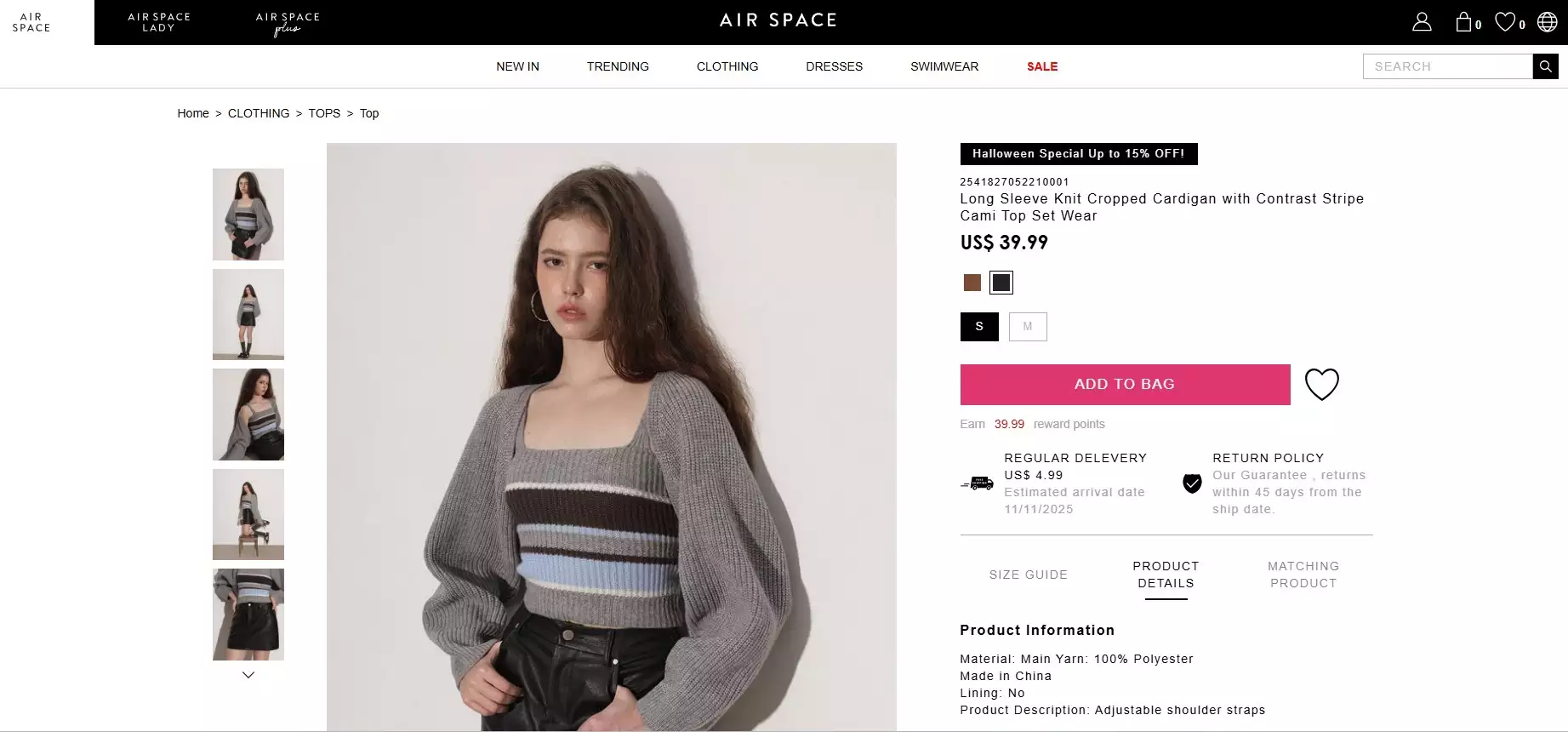
Step 2. Add Items to Your Shopping Bag
① Select the size and color if applicable.
② Click “Add to Cart.”
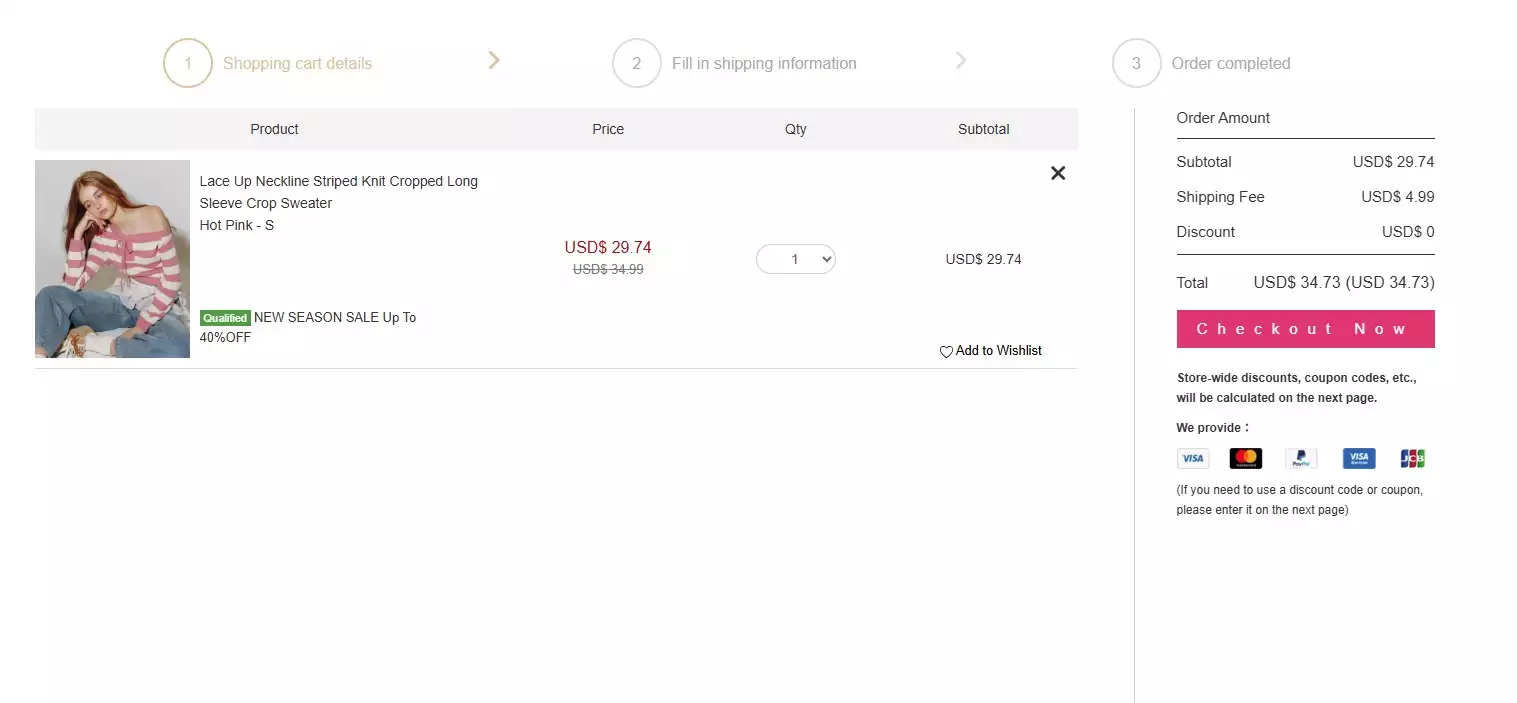
Step 3. Proceed to Checkout
① Click the shopping bag icon at the top right of the page to review your selected items.
② Make changes if necessary, then proceed to checkout.

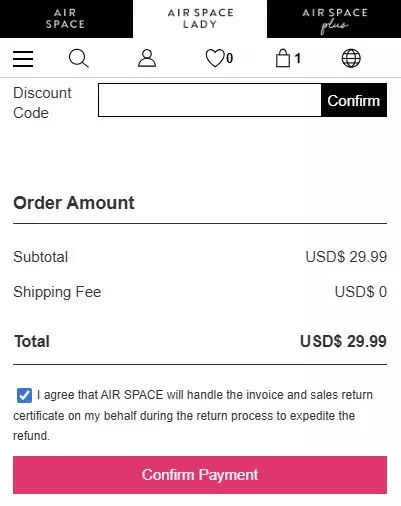
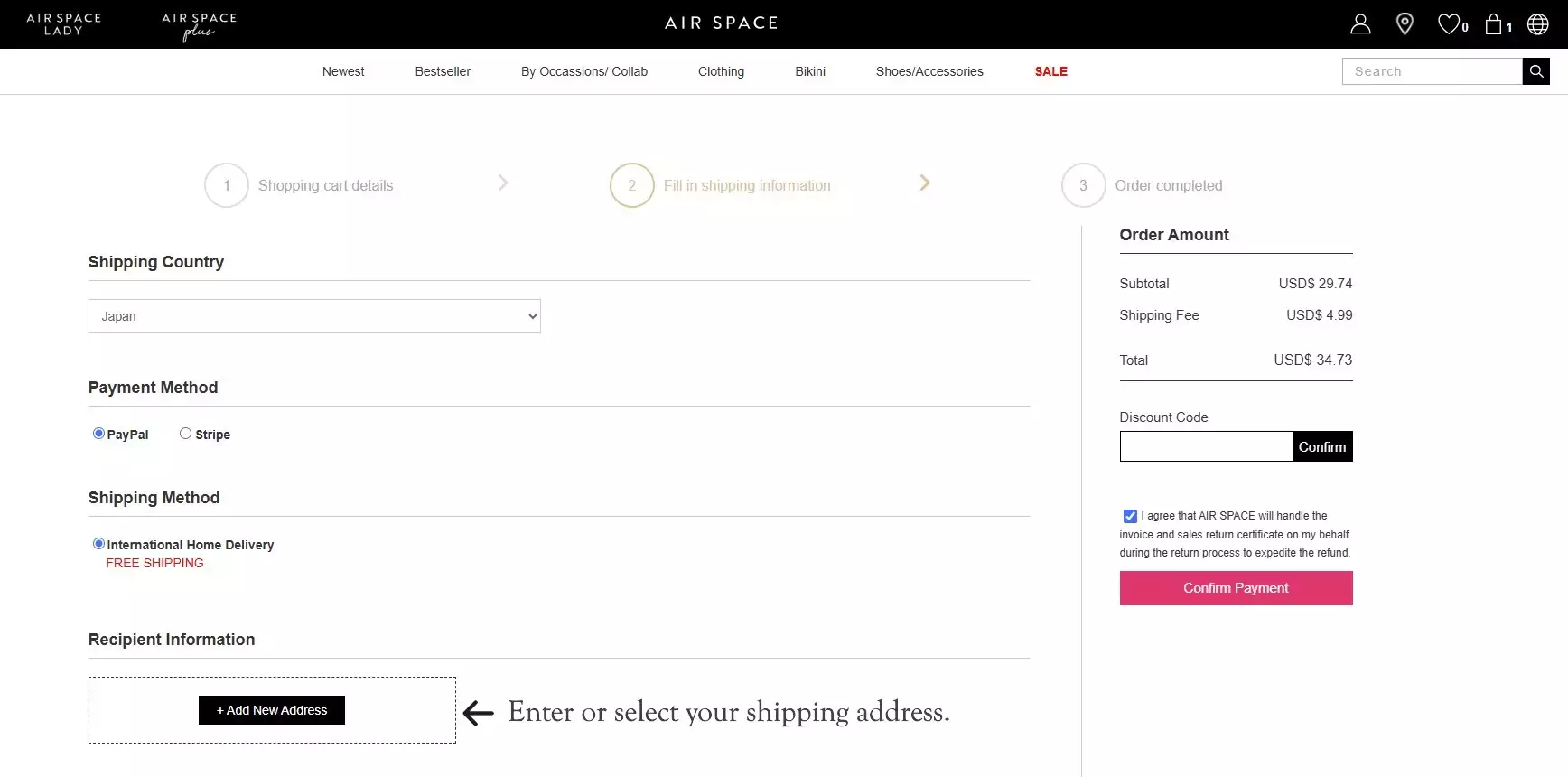
Step 4. Enter Shipping & Payment Information
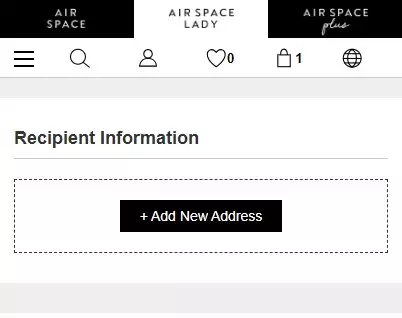
① Enter or select your shipping address.
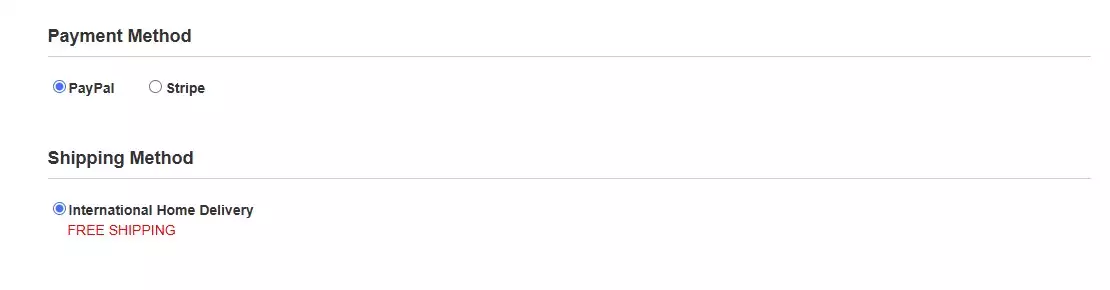
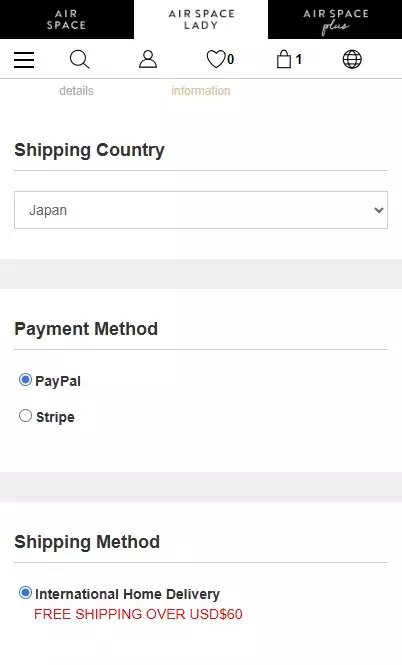
② Choose your payment method.
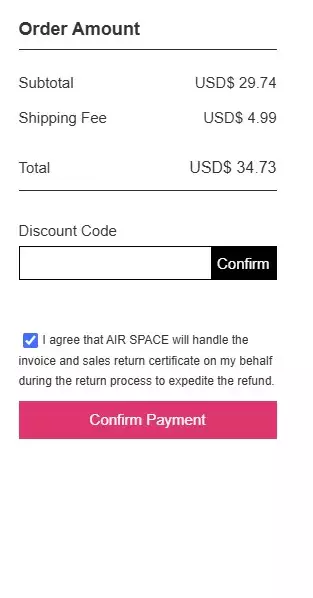
③ Enter a discount code (if available) and click the Confirm button.
④ Click “Confirm Payment”
Step 5. Confirm Your Purchase
After entering your payment details, click “Continue” to complete your purchase.
A confirmation page will appear once your order is successfully placed.
How to Order
Step 1. Log in to Your AIR SPACE Account
① If you already have an account, select “Sign In.”
② If you are a new customer, select “Register” to create an account.

Step 2. Add Items to Your Shopping Bag
① Select the size and color if applicable.
② Click “Add to Bag.”

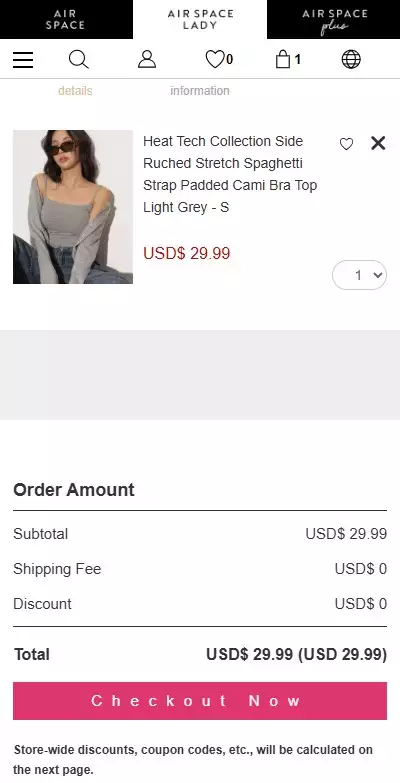
Step 3. Proceed to Checkout
① Click the shopping bag icon at the top right of the page to review your selected items.
② Make changes if necessary, then proceed to checkout.

Step 4. Enter Shipping & Payment Information
① Enter or select your shipping address.
② Choose your payment method.
③ Enter a discount code (if available) and click the Confirm button.
④ Click “Confirm Payment”
Step 5. Confirm Your Purchase
After entering your payment details, click “Continue” to complete your purchase.
A confirmation page will appear once your order is successfully placed.